
Notice
Recent Posts
Recent Comments
Tags
- asp.net core swagger
- asp.net Select
- asp.net dropdownlist
- XSS방어
- ViewData
- TempData
- javascript 바코드 생성
- 하드 마이그레이션
- Mac Oracle
- 강제이동
- ViewBag
- django 엑셀불러오기
- swagger 500 error
- asp.net core Select
- javascript redirection
- JavaScript
- asp ftp
- 말줄임표시
- 원격ftp
- 타임피커
- 하드 윈도우 복사
- XSS PHP
- 맥 오라클설치
- ASP.Net Core 404
- 404에러페이지
- simpe ftp
- SSD 복사
- jquery 바코드생성
- php 캐쉬제거
- 바코드 생성하기
웹개발자의 기지개
[웹퍼블리싱] 기본 모달창 만들기 2 본문
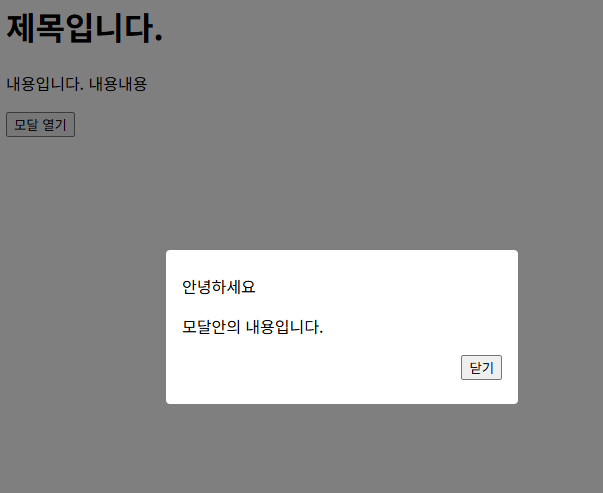
기본적인 모달창 예제이다. 심플하다.
|
1
2
3
4
5
6
7
8
9
10
11
12
13
14
15
16
17
18
19
20
21
22
23
24
25
26
27
28
29
30
31
32
33
34
35
36
37
38
39
40
41
42
43
44
45
46
47
48
49
50
51
52
53
54
55
56
57
58
59
60
61
62
63
64
65
66
67
68
69
70
71
72
|
<!DOCTYPE html>
<html lang="ko">
<head>
<meta charset="UTF-8">
<title>기존 모달창</title>
<style>
.modal-wrapper {
position:fixed;
top:0;
left:0;
width:100%;
height:100%;
background: rgba(0,0,0,0.5);
display: flex;
align-items: center;
justify-content: center;
}
.modal {
background: white;
padding: 24px 16px;
border-radius: 4px;
width:320px;
}
.modal-title {
font-size: 24px; font-weight:bold;
}
.modal p {
font-size: 16px;
}
.close-wrapper {
text-align: right;
}
</style>
</head>
<body>
<h1>제목입니다.</h1>
<p>내용입니다. 내용내용</p>
<button id="open">모달 열기</button>
<div class="modal-wrapper" style="display:none;">
<div class="modal">
<div class="modal-titl">안녕하세요</div>
<p>모달안의 내용입니다.</p>
<div class="close-wrapper">
<button id="close">닫기</button>
</div>
</div>
</div>
<script>
const open = document.getElementById("open");
const close = document.getElementById("close");
const modal = document.querySelector(".modal-wrapper");
open.onclick = () => {
modal.style.display = "flex";
}
close.onclick = () => {
modal.style.display = "none";
}
</script>
</body>
</html>
|
cs |
참고 소스 : 김민준 벨로퍼트 님 강의 중에서 발췌
'웹퍼블리싱' 카테고리의 다른 글
| [CSS] Youtube 소스 붙이기 - 반응형 형태로 붙이기 (0) | 2025.10.15 |
|---|---|
| [CSS] 특수기호 문자하나 넣고 다음줄에 들여쓰기 해보기 (0) | 2025.10.15 |
| [웹퍼블리싱] 동영상 자막 연동하기 (0) | 2025.09.18 |
| [웹퍼블리싱] 반응형 코딩 table , PC / 모바일 구분 예제 1 (1) | 2025.09.06 |
| Button 태그에서 클릭시 무조건 submit 되는 현상 해결방법 (0) | 2020.07.08 |
'웹퍼블리싱' Related Articles
more


Comments